
Our young people will start work with AI already in the job. Let's get them ready.
AI at Work Foundations, our workplace AI readiness course, is now free for New Zealand secondary schools. Senior students and their teachers take the same course, and earn the same verifiable certificate, as everyone else.
Your students already have AI in their pocket. Some use it to explain a chemistry concept at 11pm. Some use it to tidy a CV for their first part-time job.
What very few have been told is what changes when the work isn't theirs. A customer's details at the café. The employer's price list. A colleague's half-finished report. Paste any of those into a chatbot and you've made a decision about someone else's information, whether you meant to or not.
That's the gap. Not access. Judgement.
Everyone has AI. The difference is you.
I started AI New Zealand in 2017, before ChatGPT. Nine years of working with New Zealand organisations has taught us the same lesson over and over: access to AI is the easy part. Using it well takes knowledge, practice and the confidence to question what it tells you.
That capability can't depend on who happens to be curious. It has to be built deliberately, for everyone. Our young people will start work in organisations where AI is already part of the job, so the best time to build it is before they get there.
That's why AI at Work Foundations is free for New Zealand secondary schools: the same course and the same certificate as everyone else who takes it.
What students learn
AI at Work Foundations is workplace AI readiness, not another prompting course. It's self-paced, takes about three hours, and needs no AI tool, licence or subscription. Students learn:
- What AI is, and where it gets things wrong. What these tools actually are, what they can reach, and how to check their work before relying on it.
- The rules you work inside. Privacy, confidential information and whose knowledge it is, as they apply in New Zealand workplaces.
- What stays your job. What to hand to AI, what to keep, and what you sign off as your own.
- How to brief a tool, and argue with it. Giving it the context only you have, and treating the first draft as where the work starts.
It's applied, not just read. Each section asks students to apply what they've learned to their own work or study, in a few lines. Five short practical exercises, done in their own role or the role they're aiming at, get written feedback from AI. Quizzes have to be answered correctly before the next section opens, with as many tries as it takes. At the end, AI turns each student's own answers into a few questions to take to their class, teacher or team.
AI commoditises answers. Human judgement becomes premium.
What a School account gives you
- Free, for staff and students. No seats to buy and nothing to invoice.
- Your school's own page. Your logo, colours and a welcome message. Share the link and students start from there.
- Sign in with a school email. Staff and students get an 8-digit code by email. There are no passwords to manage.
- Your AI guidelines, in the course. Upload your school's AI policy or guidelines and, once confirmed, staff and students can read them as they learn. They are not used to assess anyone.
- Facilitated groups, at no charge. Teachers who have completed the course can lead it with a group or a whole class.
- The same certificate. A certificate of completion from AI New Zealand that anyone can verify online, and that stays the student's after they leave school.
Teachers go first
We ask teachers to take the course before their students. It's free for staff too, and it's written for people in work, which is exactly what teachers are: handling student information, assessment material and colleagues' work every day.
Once a teacher has completed it, they can run it as a group of 5 to 35, discussion first. Each lesson's key point goes on the screen with its Apply this to your work question, the class talks it through, and the teacher moves on when they're ready. Students follow along on their own phone or laptop, so anyone who misses a session can catch up. A group doesn't issue certificates on its own: students who want the certificate take the full course, which is also free through your school.
Built for a school's obligations
We know a principal's first questions aren't about the curriculum. So here's how it works:
- Your school decides who takes part. The course suits senior students best, around 16 and 17, and you can invite students of any age.
- Your school sees progress, not answers. You see who has started and who has finished. What students write in their answers and exercises stays theirs.
- Plain language terms for students. Students accept Student Terms written for them, and your school confirms our agreement for schools when it opens the account.
- A named safeguarding contact. If something a student writes suggests their safety or wellbeing is at risk, we tell the person your school has named.
- No marketing, and no names. We never send students marketing, never sell their information, never name them publicly and never use their answers to train AI.
And to be clear about what it isn't: AI at Work Foundations is not NCEA and carries no credits. It's a certificate of completion, valid for 18 months, that a student can show an employer and the employer can check.
Open your school's account
One account per school, for any secondary or composite school in the Ministry of Education's directory. A teacher or the principal can open it:
1 Find your school
Find your school at certify.newzealand.ai/schools and enter your email address on the school's own domain.
2 Enter the code
Enter the 8-digit code we email you. Your account admin opens straight away, and you confirm our agreement for schools.
3 We check it
We let your school office know, and a member of our team checks the account and accepts it.
4 Share your page
Add your logo and a welcome message, then share your school's page with staff and students.
Students: check whether your school's account is open at certify.newzealand.ai/students. If it isn't yet, you'll get a message to pass on to a teacher.
Everyone has AI. The difference is you.
Open your school's free account at certify.newzealand.ai/schools.
Continue reading
More from AI New Zealand.

Industry associations
Your members bought the licences. Now give their people the skills, under your name.
Read article →
Client case story
A virtual property manager, built into Aspire's own portal.
Read article →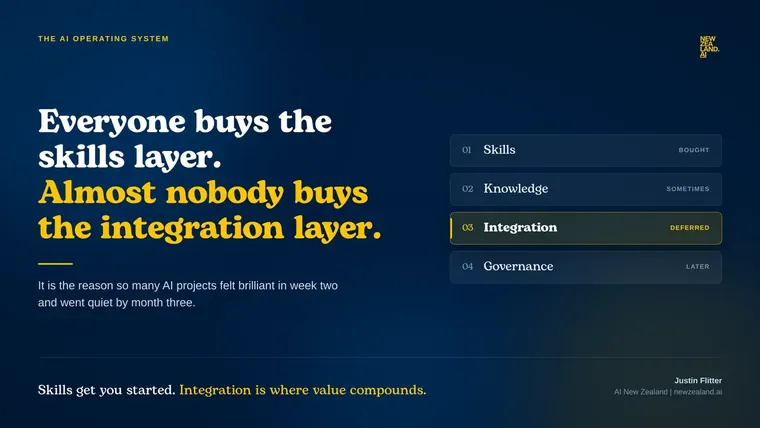
AI Operating System
Everyone is buying the skills layer. Almost nobody is buying the integration layer.
Read article →Power up your potential with practical AI skills.
Contact us to discuss how Artificial Intelligence could boost your business.