
Email & Communication
Here's our comprehensive collection of 60 practical how-to guides for using AI tools like ChatGPT, Gemini, Claude, and Perplexity to complete common daily work tasks. These are designed to be actionable guides that you can implement immediately.
1. Write Professional Emails
Use ChatGPT, Claude, or Gemini to draft, rewrite, and polish business emails quickly.
- How to do it: Provide context (recipient, purpose, tone), paste key points or existing draft, request specific style (formal, friendly, concise), then review and personalise before sending.
- Pro tip: Use the C.R.E.A.T.E. Framework: Context, Role, Examples, Action, Tone, and Emphasis for better results
2. Summarise Email Threads
Quickly understand long email conversations and extract action items.
- How to do it: Copy the entire email thread, paste into your AI tool, and ask: "Summarise this email thread and highlight action items".
- Time saved: Reduces 30-minute email reviews to under 2 minutes.
3. Generate Email Subject Lines
Create compelling subject lines that increase open rates.
- How to do it: Describe your email content and goal, ask for 5-10 subject line variations, request A/B testing options with different tones.
- Bonus: Request versions with emojis for casual communications.
4. Automate Email Responses
Set up AI-powered email drafts via Gmail/Outlook integration.
- How to do it: Connect ChatGPT to your email via connectors to Gmail or Outlook, create templates for common inquiries, set up automated draft creation, then review and send approved drafts.
- Result: Handle routine emails 4x faster while maintaining personalisation.
Meetings & Collaboration
5. Transcribe and Summarise Meetings
Use Otter.ai to automatically capture meeting notes and action items.
- How to do it: Connect Otter to Zoom, Teams, or Google Meet, let AI transcribe in real-time (up to 95% accuracy), review the automated summary and action items, then share the transcript with your team.
- Benefit: Never miss important details and get meeting summaries in 30 seconds instead of manual note-taking.
6. Schedule Meetings Automatically
Use AI scheduling assistants to eliminate back-and-forth emails.
- How to do it: Set up CalendarBridge, Clockwise, or Motion, connect all your calendars (Google, Outlook, Apple), CC the AI assistant on scheduling emails, and let AI propose and book optimal times.
- Impact: Reduce scheduling time by 75% and eliminate double-bookings.
7. Prepare Meeting Agendas
Create structured meeting agendas quickly with AI assistance.
- How to do it: Tell AI the meeting purpose and attendees, request an agenda with time allocations, ask for discussion questions, then customise and share with your team.
- Enhancement: Include pre-reading materials and expected outcomes for each agenda item.
8. Generate Meeting Follow-ups
Create action-focused meeting summaries automatically.
- How to do it: Upload meeting transcript or notes to ChatGPT or Claude, ask AI to extract action items with owners, request timeline for deliverables, then send as follow-up email.
- Outcome: Ensure accountability and clarity on next steps.
Writing & Content Creation
9. Write Reports and Documentation
Create professional business documents faster without starting from scratch.
- How to do it: Outline key sections and objectives, provide data, findings, or research, ask AI to draft each section, then edit for accuracy and company voice.
- Speed: Complete first drafts in 1/3 of the usual time.
10. Proofread and Edit Documents
Use AI to catch errors and improve clarity instantly.
- How to do it: Paste text into ChatGPT, Claude, or Wordvice AI, request grammar, spelling, and style checks, ask for clarity and flow improvements, then review suggestions and apply changes.
- Options: Choose intensity levels from light proofreading to intensive editing with restructuring.
11. Create Social Media Content
Generate posts for multiple platforms with platform-specific formatting.
- How to do it: Describe your message and audience, specify platform (LinkedIn, Twitter, Instagram), request 3-5 variations, then schedule using Buffer, SocialBee, or Plann.
- Efficiency gain: Create a week's content in 30 minutes
12. Write Blog Posts and Articles
Draft long-form content with AI assistance while maintaining your voice.
- How to do it: Provide topic and target audience, request outline with key sections, have AI expand each section, then add personal insights and examples.
- Best practice: Always fact-check AI-generated content and add your unique perspective.
13. Rewrite Content for Different Audiences
Adapt existing content for executives, technical teams, or general audiences.
- How to do it: Paste original content, specify new audience, request appropriate tone and complexity level, then compare versions and select the best.
- Use case: Transform technical reports into executive summaries or vice versa.
Data & Analysis
14. Analyse Spreadsheet Data
Use Copilot in Excel or ChatGPT to extract insights from data.
- How to do it: Upload spreadsheet or describe data, ask specific questions about trends or patterns, request visualisations or pivot tables, then use AI-generated formulas for calculations.
- Capability: Analyse complex datasets without advanced Excel skills
15. Create Excel Formulas
Generate complex formulas from plain English descriptions
- How to do it: Describe what you need to calculate, use ChatGPT, Copilot, or Excel Formula Bot, ask for formula explanation, then test and adjust as needed.
- Examples: Create VLOOKUP, XLOOKUP, SUMIFS, or nested IF statements instantly
16. Clean and Format Data
Automate tedious data cleaning tasks
- How to do it: Identify data quality issues (duplicates, formatting inconsistencies), ask AI for cleaning steps or formulas, request standardisation rules, then apply and verify results.
- Time savings: Reduce hours of manual data cleaning to minutes.
17. Generate Data Visualisations
Create charts and graphs that tell compelling stories.
- How to do it: Upload or describe your dataset, specify visualisation type needed, ask AI to recommend best chart type for your data, then export and customise in your tool.
- Smart feature: AI can identify which chart type best represents your data patterns.
Presentations & Design
18. Create Presentation Slides
Use Gamma or Canva AI to generate full presentation decks
- How to do it: Input your topic and key points, let AI generate a complete slide deck, review and customise design, then add branding and images.
- Speed: Create professional presentations in minutes instead of hours.
19. Design Visuals and Graphics
Create professional graphics without design skills.
- How to do it: Describe visual concept or purpose, use Canva's Magic Design or AI image generators, request specific style or brand colours, then download and use in materials
- Accessibility: Democratises design for non-designers.
20. Generate Presentation Talking Points
Create speaker notes and presentation scripts
- How to do it: Paste slide content into ChatGPT or Claude, ask for elaboration on each point, request examples or analogies, then practice with the AI-generated script.
- Enhancement: Ask AI to anticipate audience questions and prepare responses.
Research & Learning
21. Conduct Literature Reviews
Use Perplexity, Elicit, or ResearchRabbit to accelerate research.
- How to do it: Input research question or topic, let AI find relevant papers and sources across 125+ million papers, review AI-generated summaries, then export citations in required format.
- Impact: Complete literature reviews in hours instead of weeks.
22. Summarise Long Documents
Extract key points from PDFs, reports, and lengthy documents.
- How to do it: Upload document to ChatGPT, Claude, Adobe Acrobat AI, or Sharly, ask for executive summary or specific sections, request key insights and recommendations
- Feature: Get numbered citations linking back to source material for verification.
23. Learn New Skills Quickly
Use AI as a personal tutor that never gets tired.
- How to do it: Enable Study Mode in ChatGPT or Claude, ask AI to explain concepts step-by-step, request practice problems or exercises, then get feedback on your understanding.
- Advantage: AI guides you through problems rather than just giving answers.
24. Translate Documents
Convert content to multiple languages professionally.
- How to do it: Paste text or upload document, use DeepL, Google Translate, or ChatGPT, specify target language and formality level, then review for context and accuracy.
- Best for: DeepL excels at European languages with nuanced translations.
Project Management
25. Break Down Complex Projects
Create detailed project plans automatically.
- How to do it: Describe project goals and constraints, ask AI to create task breakdown with dependencies, request timeline and milestones, then export to Asana, Notion, or Excel.
- Benefit: Identify potential risks and bottlenecks before they occur.
26. Automate Task Scheduling
Use Motion or Trevor AI to optimally time-block your day
- How to do it: List all tasks with time estimates, connect calendar accounts, let AI optimise daily schedule based on your working patterns, then review and approve the plan.
- Result: Increase task completion rates from 40% to 85%.
27. Track Project Progress
Generate status reports automatically for stakeholders.
- How to do it: Input project milestones and completion status, ask AI to create progress summary with insights, identify risks and blockers, then share with stakeholders.
- Automation: Set up automated weekly reports in project management tools.
28. Manage Team Workload
Balance tasks across team members effectively.
- How to do it: List team capacity and current assignments, ask AI to recommend task distribution, identify overallocation risks, then adjust based on AI suggestions.
- Insight: AI can predict burnout risks based on workload patterns.
Customer Service
29. Set Up AI Chatbots
Automate customer support responses 24/7.
- How to do it: Define common customer questions, train chatbot with FAQs and approved responses, set escalation rules for complex issues, then monitor and refine responses.
- ROI: Handle 60% of inquiries instantly while reducing support costs.
30. Draft Customer Responses
Reply to inquiries professionally and empathetically.
- How to do it: Paste customer message, provide relevant context or company policy, request empathetic, solution-focused response, then personalise before sending.
- Speed: Respond to customer queries 4x faster.
31. Handle Customer Complaints
Craft diplomatic responses to negative feedback.
- How to do it: Share complaint details with AI, ask for empathetic acknowledgment, request solution-oriented language, then add a personal touch before sending.
- Outcome: Improve customer satisfaction scores and reduce escalations.
Marketing & Sales
32. Generate Marketing Copy
Create ads, taglines, and promotional content at scale.
- How to do it: Describe product and target audience, request multiple copy variations, specify channel and character limits, then test and refine top options.
- Volume: Generate 50+ variations in minutes for A/B testing.
33. Write Cold Outreach Emails
Create personalised sales emails that convert.
- How to do it: Research prospect background, provide context to AI about their pain points, request warm, value-focused message, then customise with specific details.
- Best practice: Use the "hook-benefit-CTA" structure for higher response rates.
34. Brainstorm Campaign Ideas
Generate creative marketing concepts quickly
- How to do it: Share campaign goals and target audience, ask for 10-15 creative concepts, request different approaches (emotional, logical, humorous), then develop promising ideas further.
- Innovation: AI can suggest unexpected connections and fresh perspectives.
35. Analyse Competitor Content
Extract insights from competitor materials systematically
- How to do it: Gather competitor content (websites, ads, posts), ask AI to identify patterns and themes, request gap analysis, then develop differentiation strategy.
- Strategic value: Identify market opportunities others have missed.
HR & Recruitment
36. Write Job Descriptions
Create compelling, inclusive job posts that attract talent.
- How to do it: Provide role title and key requirements, request structured job description, ask for inclusive language review, then add company-specific details.
- Inclusion: AI can identify biased language and suggest neutral alternatives.
37. Screen Resumes
Quickly evaluate candidate fit against requirements.
- How to do it: Upload resume and job description to AI, ask to assess qualification match percentage, request skills gap analysis, then create shortlist with rationale.
- Efficiency: Review 100+ resumes in the time it takes to manually review 10.
38. Prepare Interview Questions
Generate role-specific, behavioural interview questions.
- How to do it: Describe role and key competencies needed, request both behavioural and technical questions, ask for evaluation criteria, then customise for your company culture.
- Structure: Get STAR method questions automatically formatted.
39. Practice Job Interviews
Prepare for interviews with AI role-play.
- How to do it: Provide job description to AI, ask AI to conduct mock interview as the hiring manager, answer questions in real-time, then request detailed feedback and improvement tips
- Benefit: Build confidence and refine answers before the real interview.
Personal Productivity
40. Create Daily Plans
Use AI to optimise your schedule and priorities.
- How to do it: List all tasks and appointments, use Trevor AI, Morgen, or Motion for AI planning, let AI suggest optimal time blocks based on your energy levels, then review and adjust as needed.
- Smart feature: AI learns your working patterns and adapts over time.
41. Prioritise Tasks
Identify what truly matters using AI-powered analysis.
- How to do it: List all pending tasks with context, ask AI to rank by urgency and impact using frameworks like Eisenhower Matrix, request reasoning for priorities, then focus on top-ranked items.
- Clarity: Reduce decision fatigue and focus on high-impact work.
42. Set Goals and Track Progress
Create SMART goals with AI guidance and accountability.
- How to do it: Share broad objectives with AI, ask to create specific, measurable, achievable, relevant, and time-bound goals, request milestones and metrics, then schedule regular check-ins for progress.
- Motivation: AI provides coaching and celebrates wins
43. Overcome Decision Paralysis
Use AI for structured decision analysis.
- How to do it: Describe your decision and available options, ask for comprehensive pros/cons analysis, request risk assessment for each option, then use insights to inform your choice.
- Framework: Apply decision-making frameworks like weighted scoring.
Finance & Administration
44. Create Invoices and Quotes
Generate professional financial documents quickly.
- How to do it: Provide service/product details and client information, request invoice or quote format with payment terms, add company-specific conditions, then save as template for future reuse.
- Automation: Connect to accounting software for automatic record-keeping.
45. Analyse Financial Data
Extract insights from financial reports and statements.
- How to do it: Upload financial statements or data, ask specific questions about performance trends, request variance analysis and forecasting, then identify areas for cost reduction or growth.
- Insight: Spot financial patterns humans might miss.
46. Automate Expense Reporting
Simplify expense tracking and reporting processes.
- How to do it: Take photos of receipts (AI extracts data), upload to accounting software like Xero or QuickBooks, let AI categorise expenses by type, then review and submit reports.
- Time saved: Reduce expense reporting from hours to minutes monthly.
Legal & Compliance
47. Review Contracts
Use AI to identify risks in legal agreements.
- How to do it: Upload contract to goHeather, LegalFly, or similar AI contract review tool, request comprehensive risk assessment, review flagged clauses and suggested redlines, then consult lawyer for critical issues.
- Coverage: AI can spot risky clauses in thousands of contract types.
48. Draft Standard Agreements
Create NDAs and basic contracts from templates.
- How to do it: Specify agreement type and parties involved, provide key terms and conditions, let AI generate draft based on standard templates, then have legal professional review before execution.
- Cost savings: Reduce legal fees for routine agreements.
49. Ensure Regulatory Compliance
Check documents against industry regulations automatically.
- How to do it: Describe your industry and applicable regulations, upload documents for compliance review, ask AI to flag potential compliance issues, then implement suggested changes and document.
- Protection: Proactive compliance monitoring reduces legal risks.
Creative & Video
50. Create and Edit Videos
Use AI for efficient video production.
- How to do it: Upload raw footage to Descript, Gling, or OpusClip, let AI automatically remove silences, filler words, and bad takes, add AI-generated captions and chapters, then export polished video.
- Time savings: Cut editing time by 70%.
51. Generate Video Scripts
Write engaging video content with strong hooks.
- How to do it: Describe video topic, target audience, and desired length, request script with attention-grabbing hook and clear CTA, ask for timing and scene suggestions, then practice and refine delivery.
- Optimisation: AI can suggest titles and thumbnails for YouTube success.
52. Create Social Media Clips
Turn long videos into short, viral-worthy clips.
- How to do it: Upload full video to OpusClip or similar tool, let AI identify the most engaging moments using virality algorithms, review and select AI-generated clips, then add branding and publish
- Versatility: Works for podcasts, interviews, tutorials, gaming, and vlogs
Coding & Development
53. Generate Code Snippets
Write code from natural language descriptions.
- How to do it: Describe what the code should accomplish, use ChatGPT, Claude, or GitHub Copilot, request specific programming language or framework, then test and integrate into your project.
- Productivity: Developers code 126% more projects weekly with AI assistance.
54. Debug Code Errors
Find and fix bugs faster with AI assistance.
- How to do it: Paste error message and relevant code context, ask AI to identify root cause and explain the issue, request fix suggestions with explanations, then test and validate the solution.
- Accuracy: AI can catch edge cases and potential regressions.
55. Write Unit Tests
Generate comprehensive test cases automatically.
- How to do it: Provide function or code module to test, ask for comprehensive test coverage including edge cases, request specific testing framework format, then integrate into your test suite.
- Coverage: Ensure robust testing without tedious manual test writing.
56. Explain Complex Code
Understand unfamiliar codebases quickly.
- How to do it: Paste code snippet or function, ask for line-by-line explanation, request clarification on purpose and logic flow, then document insights for future reference.
- Learning: Accelerate onboarding and knowledge transfer.
Brainstorming & Innovation
57. Generate Business Ideas
Explore new opportunities with AI creativity
- How to do it: Describe your market, skills, interests, or constraints, ask for 20-50 diverse business concepts, request evaluation criteria (feasibility, profitability, scalability), then develop the most promising ideas.
- Innovation: AI can suggest combinations you wouldn't have considered
58. Solve Problems Creatively
Find innovative solutions to business challenges.
- How to do it: Clearly describe the problem and constraints, ask for diverse solution approaches from different angles, request unconventional or lateral thinking options, then evaluate feasibility with AI's help.
- Method: Use techniques like "reverse brainstorming" or "SCAMPER" with AI.
59. Conduct SWOT Analysis
Analyse strengths, weaknesses, opportunities, and threats systematically.
- How to do it: Describe your business, project, or initiative, request comprehensive SWOT analysis with data-backed insights, ask for specific examples and evidence, then use for strategic planning.
- Depth: AI can provide industry context and competitive intelligence.
60. Role-Play Scenarios
Practice difficult conversations safely.
- How to do it: Describe scenario (negotiation, conflict, pitch) and assign role to AI, conduct the conversation with AI playing the other party, try different approaches and strategies, then get feedback on communication effectiveness.
- Confidence: Build skills without real-world consequences.
Getting Started Tips
- Start small: Pick 2-3 guides most relevant to your daily work and master them first.
- Experiment with models: Different AI tools excel at different tasks - ChatGPT for versatility, Claude for nuanced writing, Gemini for Google Workspace integration, Perplexity for research.
- Refine your prompts: Be specific about context, desired format, tone, and length. The clearer your instructions, the better the output.
- Always verify: AI can make mistakes or "hallucinate" information. Fact-check important content and add your expertise.
- Maintain your voice: Use AI as a starting point, then personalise and add your unique insights.
- Protect sensitive data: Be cautious about uploading confidential information to AI tools. Use enterprise versions with proper security when handling sensitive business data.
Key Productivity Gains
Research shows that workers using AI tools effectively can experience:
- 59% increase in output for business tasks
- 126% more projects completed for programmers
- 30% improvement in customer satisfaction when using chatbots
- 20-30% efficiency boost in project work
- 58% reduction in repetitive manual tasks
The key is consistent use and continuous learning. Start implementing these guides today, and you'll quickly discover which tools deliver the most value for your specific work.
The future of work isn't about AI replacing humans - it's about humans augmented by AI working smarter, faster, and more creatively than ever before.
Continue reading
More from AI New Zealand.
AI Operating System
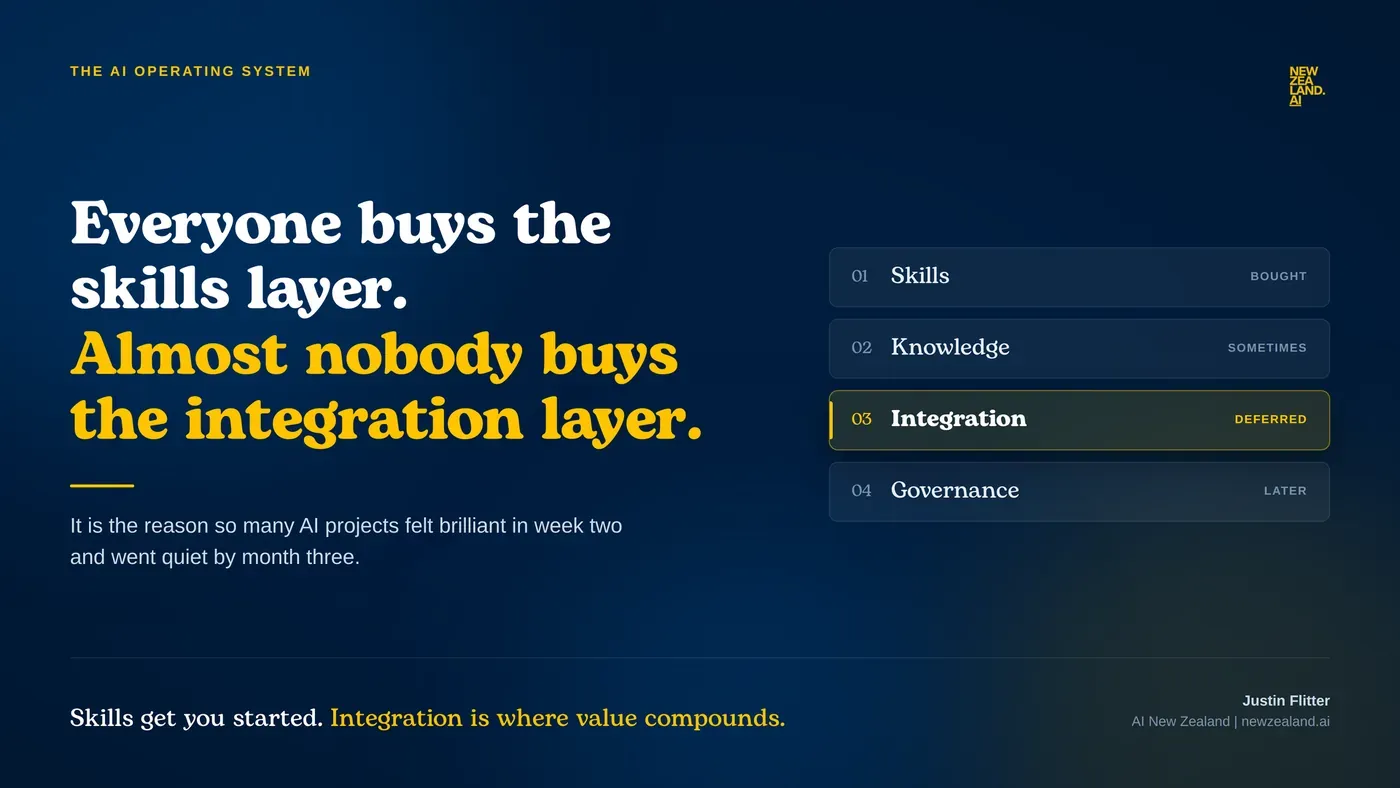
Everyone is buying the skills layer. Almost nobody is buying the integration layer.
Read article →
2026 AI Roadshow Notes
AI is no longer just about content generation. It is becoming operational infrastructure.
Read article →
Insights
What comes after LLMs now has a New Zealand face on it.
Read article →Power up your potential with practical AI skills.
Contact us to discuss how Artificial Intelligence could boost your business.